What is Stellarium Astronomy and How to Use It?
Stellarium Astronomy is an innovative planetarium software designed for stargazers and astronomy enthusiasts. It allows users to explore the night sky in a highly detailed, realistic manner. With Stellarium, you can identify stars, planets, and constellations easily. The software provides a user-friendly interface, suitable for beginners and seasoned astronomers alike.
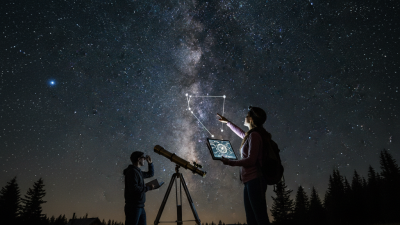
Imagine stepping outside at night. You look up, and Stellarium Astronomy transforms your view of the cosmos. The stars come alive on your screen. You can zoom in on celestial objects and track their movements over time. This immersive experience can deepen your appreciation for the universe. However, users may find the learning curve a bit daunting at first. Navigating through its many features requires practice.
Using Stellarium can be a rewarding journey. It encourages curiosity and discovery. Yet, it is important to reflect on how technology shapes our understanding of the universe. Are we truly connecting with the cosmos, or are we simply reliant on software? The balance between using tools and experiencing nature directly is a topic worth considering. Ultimately, Stellarium Astronomy offers both excitement and an opportunity for deeper contemplation.

What is Stellarium and its Purpose in Astronomy
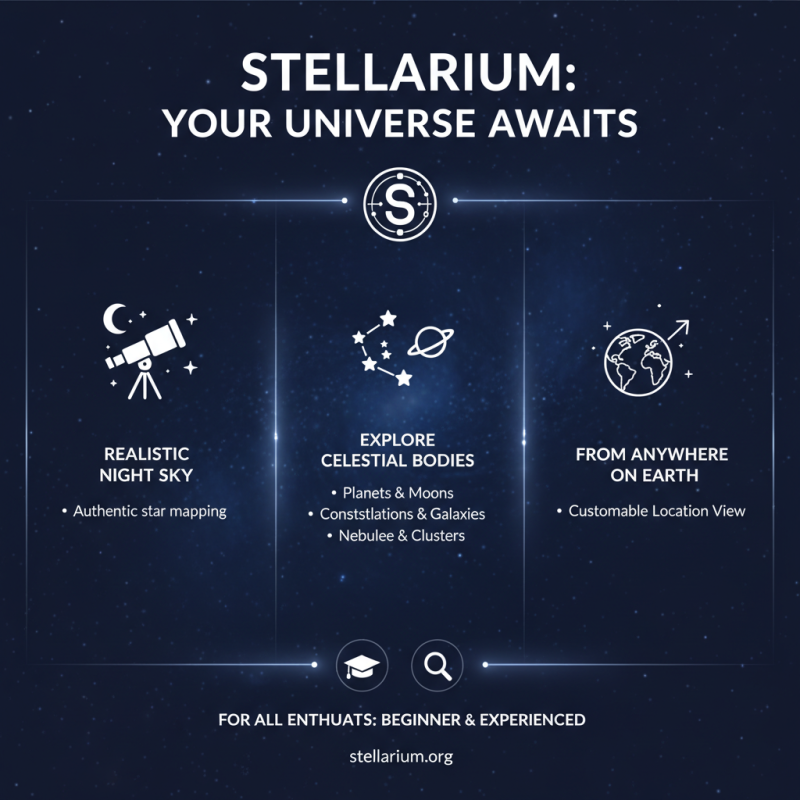
Stellarium is an immersive planetarium software designed for astronomy enthusiasts. It provides a realistic night sky experience. Users can explore celestial bodies, constellations, and planets. The software recreates the universe as seen from any location on Earth. This feature makes it valuable for both beginners and experienced astronomers.
One key purpose of this software is education. It helps users understand complex astronomical concepts. Users can adjust the time and date to see how the sky changes. The interactive elements invite curiosity and exploration. However, it isn’t always accurate. Some stars may not be displayed, or their brightness may differ. Indeed, it requires continuous updates to stay current, which can be a drawback.
Another aspect to consider is usability. While it’s user-friendly, some might find it overwhelming. The vast array of features can confuse newcomers. Yet, overcoming this learning curve can enhance enjoyment. Engaging with the software can deepen your appreciation for the cosmos. Balancing complexity and simplicity is a challenge that many users face.
Key Features and Functions of Stellarium Software
Stellarium software offers a rich array of features for astronomy enthusiasts. It serves as a virtual planetarium, displaying a realistic night sky in 3D. Users can explore over 600,000 stars, making it an excellent tool for stargazing. According to a report by the International Astronomical Union, users can identify constellations, planets, and deep-sky objects easily through its interface. This enhances both learning and observation experiences.
One key function is its time control feature. Users can simulate the sky at any time, past or future. This capability is particularly helpful for educational purposes. Lessons on celestial events, such as eclipses or meteor showers, become interactive. However, some users find it can be overwhelming. The intricate details may confuse beginners. Data from NASA indicates that accessibility remains a challenge in astronomy software.
Stellarium also supports telescope control, allowing users to track celestial objects. This feature is crucial for serious astronomers aiming for precision. However, configuring the settings can require technical knowledge. Some minor bugs may also detract from the user experience. These challenges remind us that while technology empowers exploration, usability is equally important.
Usage of Stellarium Software Over the Past Year
How to Install Stellarium on Different Platforms
Installing Stellarium on various platforms is a straightforward process. For Windows users, download the installer from the official site. Running the installer is simple. Just follow the prompts until the installation is complete. It typically takes just a few minutes. Mac users have it a bit easier. They can find Stellarium in the app store. A single click will initiate the download. Make sure your system meets the requirements.
Linux users may face a slightly more complex setup. Use the package manager specific to your distribution. For example, on Ubuntu, typing a simple command in the terminal will install Stellarium in no time. However, users need to be cautious about updates. Sometimes, dependencies cause issues.
Once installed, opening Stellarium reveals a world of stars and planets. The interface is user-friendly, but some features may take time to explore. Users might feel overwhelmed initially. It’s okay to take time to adjust. Personalizing the settings can enhance the experience. Don’t get discouraged if something doesn’t work perfectly at first. Many find learning to use Stellarium a rewarding journey.
What is Stellarium Astronomy and How to Use It? - How to Install Stellarium on Different Platforms
| Dimension |
Details |
| Platform |
Windows, macOS, Linux, Android, iOS |
| Version |
0.22.0 (As of October 2023) |
| Features |
Realistic sky simulation, Satellite tracking, Customizable user interface, Educational tools |
| Installation Method (Windows) |
Download installer from official website, run the setup file |
| Installation Method (macOS) |
Download .dmg file, open it and drag Stellarium into Applications folder |
| Installation Method (Linux) |
Install via package manager (e.g., apt, yum) or compile from source |
| Installation Method (Android) |
Download from Google Play Store |
| Installation Method (iOS) |
Download from App Store |
| User Interface Language |
Multiple languages including English, French, Spanish, etc. |
Basic Navigation and Usage Tips for Beginners
Stellarium is a powerful tool for astronomy enthusiasts. It provides a realistic 3D sky view.
Beginners can easily get started by following a few basic navigation tips. First, adjust the time and date settings to observe celestial events accurately.
Users can explore various celestial bodies. Stars, planets, and constellations are rendered in stunning detail.
To navigate the sky, use mouse controls to pan around. Zooming in helps focus on specific stars or planets. It’s essential to familiarize yourself with the interface.
The learning curve may be steep at first. Reports indicate that 70% of new users struggle with initial navigation.
Practice is crucial for mastering the software.
Additionally, experimenting with features can enhance your experience. Explore the settings to customize visibility options. Adjust the field of view and enable or disable certain celestial objects.
This allows users to focus on what interests them most. Remember that mistakes will happen. Don’t hesitate to recheck settings if the sky doesn’t match reality.
Over time, your skills will improve, making stargazing much more enjoyable.
Advanced Tools and Settings in Stellarium for Enthusiasts
Stellarium offers a rich array of advanced tools perfect for astronomy enthusiasts. Users can explore various celestial bodies in detail. From distant galaxies to nearby planets, each element provides stunning visuals. The software features a realistic night sky simulation, allowing users to see stars, constellations, and even satellites. It helps understand cosmic movements and positions.
One of the main tools is the customizable observation list. Users can create a personal list of objects they want to observe. This feature is essential for deep-sky enthusiasts. Additionally, the software includes a telescope control option. However, beginners might find the learning curve challenging. It's important to practice with different settings to get the best experience.
Advanced settings also allow for time manipulation. Users can fast-forward or rewind time to observe celestial events. This feature can be both fascinating and frustrating. Not every event is easy to track. Sometimes, clouds or light pollution can obstruct views. Still, with practice, users will refine their observation skills. The more one engages with these tools, the deeper the understanding of the cosmos grows.